




Posted by: Sotiris Filippidis
16 November 2026


Recurring errors can go unnoticed while an Umbraco website appears to be working normally. Identifying them early and understanding where and how often they occur gives your team a chance to investigate before they develop into a wider issue.
We built DotSee.ErrorRadar to help you spot those patterns and understand what might be behind them. It’s a free, MIT-licensed package for Umbraco 17 that groups recurring warnings and errors in the backoffice, shows which pages they affect and highlights recent changes that could be related.

One page or a whole section?
Say you get a report that an article page is throwing an exception. If the same error shows up on just that article, I’d start with the content on that page. Was it just published? Does it contain a block the other articles don’t use? If the same exception has been logged on 18 of your 21 article pages, I’d look at what those pages share, such as the template or the code that renders their blocks.
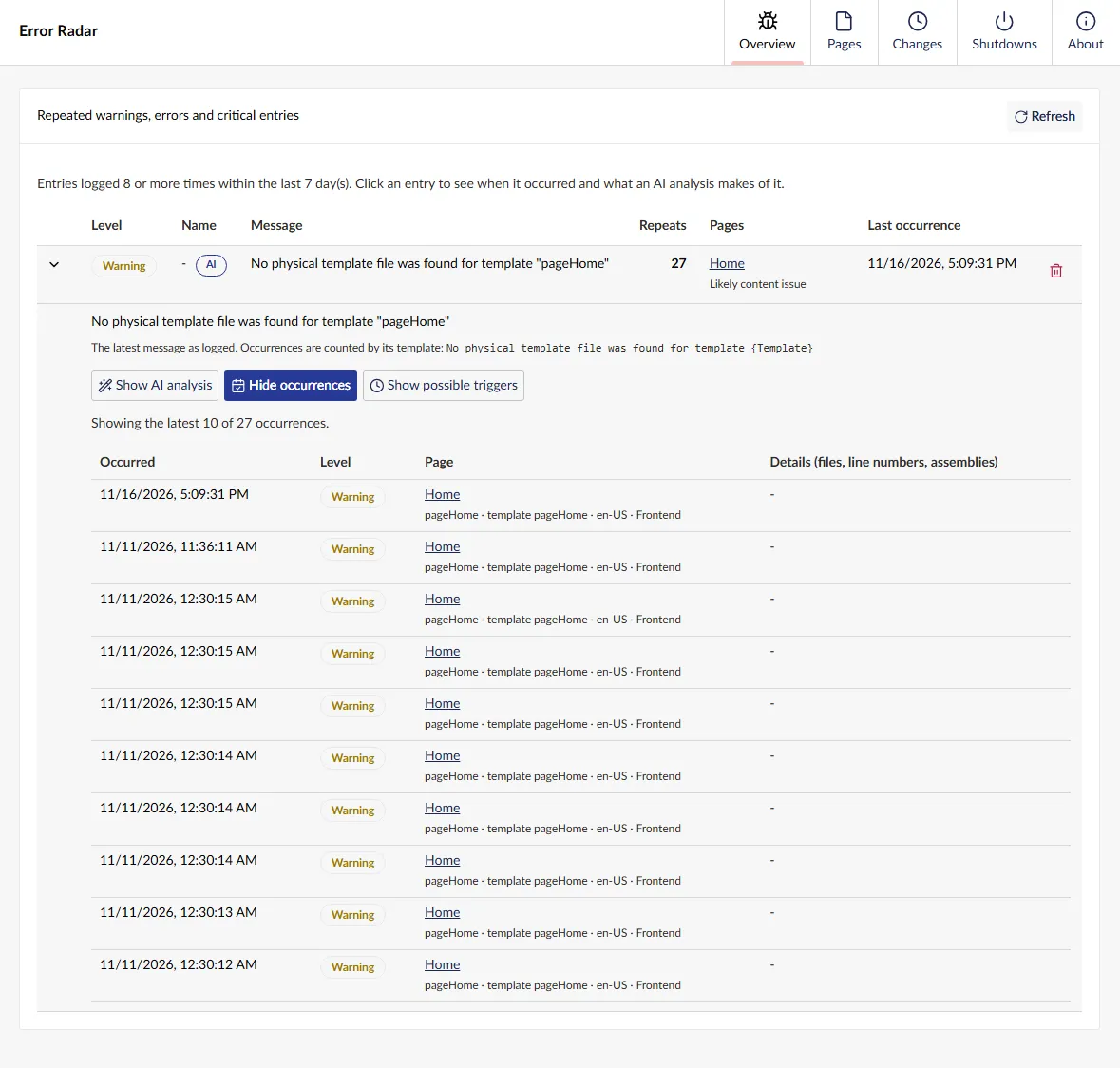
Error Radar can show you that difference when it can match a log event to a page. Open a group in the Overview to see recent occurrences and the latest stack trace, if there is one. You can also have a list of possible triggers as well as an AI-assisted analysis (see below).
What changed just before it started?
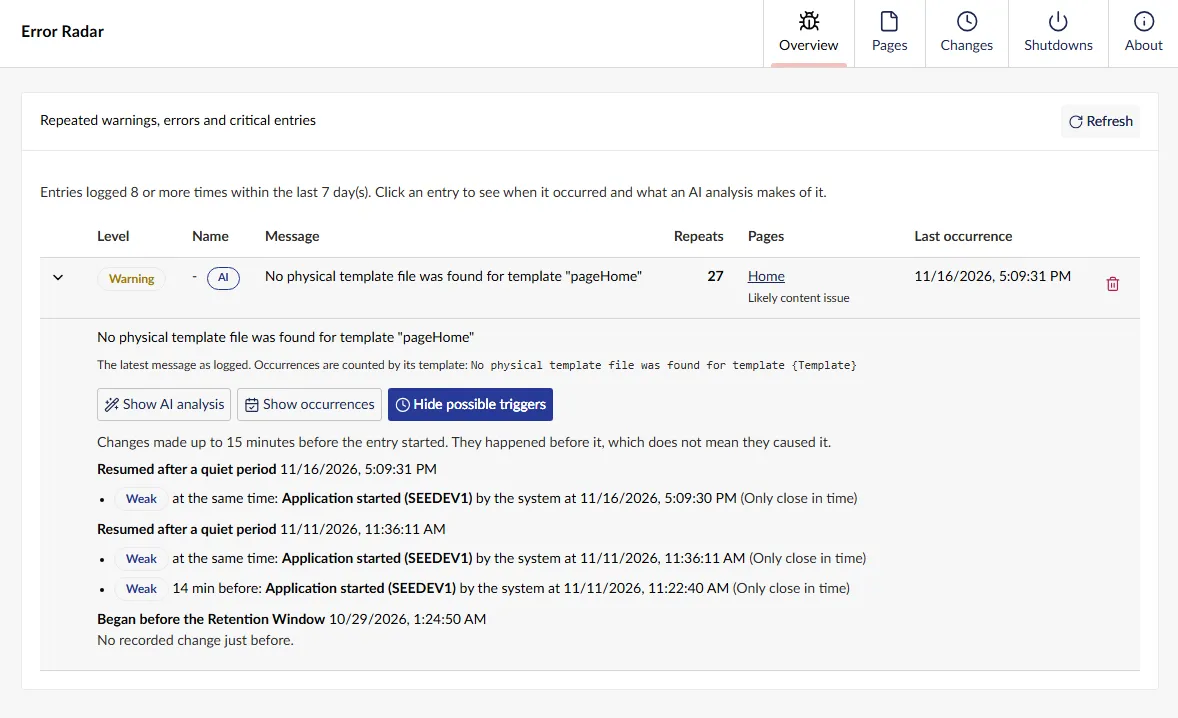
Error Radar records activity such as content publishes, document type saves, template changes and application startups. When you open an issue, you can see which of those changes came shortly before it first appeared, or before it came back after a quiet period in the Possible Triggers view.
A publish on the same page ranks higher than a change to its document type or template. A change that merely happened around the same time ranks lower. In the article example, a recent publish gives you a specific version of the page to investigate.
The Changes view lets you start from the other end. If you’re looking into a specific publish or document type change, you can see how many new issues appeared afterwards. Graceful application stops have their own Shutdowns view.


Email alerts and optional AI analysis
With SMTP configured, Error Radar can email your team when an issue reaches the recurrence threshold. The default is eight occurrences. You can also choose to notify the person who published a page if a new issue appears on it shortly afterwards.
If you use Umbraco AI 17.1 or later and have an active chat connection and profile, Error Radar can use it to suggest a likely cause, steps to verify it and possible fixes. That analysis sends stack traces, page names, relevant backoffice user names and excerpts from the logs to your configured AI provider. You can disable the AI analysis separately.

Try it on Umbraco 17
Run this from your Umbraco web project:
dotnet add package DotSee.ErrorRadarError Radar creates its database tables on first startup. In the backoffice, go to Settings → Advanced → Error Radar. The package keeps seven days of records by default. You can change the retention period, recurrence threshold and notification settings in appsettings.json.
Get DotSee.ErrorRadar on NuGet and see the configuration options
View it on the Umbraco Marketplace


